How Do You Implement Server-Side Tracking?
You implement server-side tracking by routing conversion and event data through a server you control – usually a server-side tag manager or your own endpoint – instead of relying solely on the browser, then forwarding that first-party data to ad platforms through their server APIs like Meta's Conversions API and Google's Enhanced Conversions. The work breaks into four parts: stand up the server endpoint, capture events with reliable first-party identifiers, send them to each platform's API with proper event matching and deduplication, and validate that conversions are landing accurately. Done right, it recovers signal lost to ad blockers, browser restrictions, and iOS privacy changes while giving you cleaner, more controllable data.
Detailed Answer
Server-side tracking moved from a nice-to-have to a near-requirement once browsers started blocking third-party cookies, ad blockers got more aggressive, and Apple's privacy changes cut off the signal ad platforms used to optimize on. Client-side pixels fire in the user's browser, where they are increasingly blocked, throttled, or stripped of identifiers – which means the conversions never reach your ad platforms, and your campaigns optimize on incomplete data. Server-side tracking moves the critical measurement out of the fragile browser environment and onto infrastructure you control. Here is how the implementation actually works.
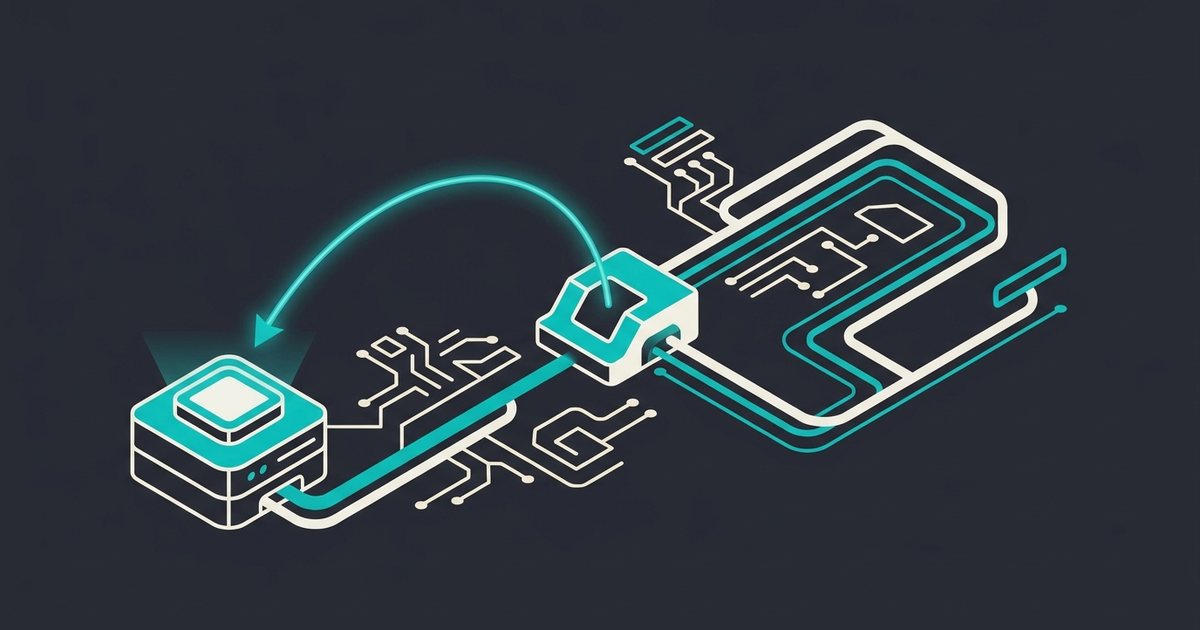
Understand What You Are Building The core idea is simple: instead of the browser sending conversion events directly to Meta, Google, and your analytics, the browser (or your backend) sends events to a server you control, and that server forwards clean, enriched data to each destination. This gives you three advantages – more events survive because the server is not blocked the way browser requests are, you control exactly what data is sent and can enrich it with first-party information from your own systems, and you reduce the number of third-party scripts loading in the user's browser. The two common architectures are a server-side tag manager like Google Tag Manager server-side container, or sending events directly from your application backend. Most teams start with the server-side container because it is faster to stand up.
Step 1: Stand Up the Server Endpoint The first concrete step is creating the server that will receive and forward events. With a server-side tag manager, that means provisioning a server-side container and pointing it at a subdomain of your own domain – for example, a first-party subdomain so requests look first-party and survive browser restrictions better. If you are going the backend route instead, you build an endpoint in your application that receives event data and is responsible for forwarding it. Either way, the principle is that the data first lands on infrastructure you own before it goes anywhere else.
Step 2: Capture Events With Reliable First-Party Identifiers Server-side conversions are only as good as the matching data you send, so this step matters most. For each conversion – signup, purchase, lead, trial start – you need to capture the right parameters: hashed email, hashed phone, click identifiers like Meta's fbclid and Google's gclid, IP, user agent, and an event ID. The click identifiers and hashed customer data are what let the platforms match a server event back to the ad that drove it. Capturing these reliably usually means grabbing the click ID when the user lands and persisting it through to the conversion event, which is where a lot of implementations quietly fail. The richer and more accurate this first-party data, the more conversions the platforms can match and the better they optimize.
Step 3: Send to Each Platform's API With Deduplication Now you forward events to the destinations: Meta's Conversions API, Google's Enhanced Conversions and the Measurement Protocol for GA4, TikTok's Events API, and any others you run. The non-obvious but critical detail is deduplication – if you run both the browser pixel and server-side events, you must send a shared event ID so the platform recognizes the browser event and the server event as the same conversion and does not double-count. Most teams run a hybrid of client-side and server-side during and after the transition, so deduplication is not optional. Each platform has its own field requirements and matching logic, so the events have to be mapped to each API's schema correctly.
Step 4: Validate, Then Operate The final step is verification, and skipping it is how silent failures persist for months. Use each platform's test and diagnostics tools – Meta's Events Manager test events and event match quality score, Google's debug and diagnostics – to confirm events arrive, match well, and are not duplicated. Compare server-reported conversions against your source-of-truth backend numbers to catch under- or over-counting. After launch, server-side tracking is something you operate, not set and forget: new conversion events, new platforms, and schema changes all require maintenance, and match quality should be monitored as an ongoing metric. This is also the moment to make sure your setup honors user consent, because server-side tracking does not exempt you from privacy law – it should respect the same consent signals as your client-side [measurement](/services/measurement/). For most teams this is foundational infrastructure, and getting it right is what makes the rest of your [growth strategy](/services/strategy/) measurable in a post-cookie world.
Related Questions
- How Marketing Budget Allocate Channels
- Fractional Cmo Board Reporting
- Fractional Cmo Vs Marketing Consultant Difference
If ad blockers and privacy changes have eaten your conversion data and you need server-side tracking done right, we should talk.

Expand your marketing team output with our experts
Let us take a custom approach to your growth goals by assembling and leading the best-in-class marketing team to support your next stage.
Frequently asked questions
What is the difference between client-side and server-side tracking?
Client-side tracking fires events directly from the user's browser to ad platforms and analytics, where they are increasingly blocked by ad blockers, throttled by browsers, or stripped of identifiers. Server-side tracking routes those events through a server you control first, which then forwards clean, enriched data to each destination.
Do I need a server-side tag manager or can I send events from my backend?
Both approaches work, and the right one depends on your team. A server-side tag manager, like the Google Tag Manager server-side container, is faster to stand up and is where most teams start because it requires less engineering.
How do I avoid double-counting conversions with server-side tracking?
You avoid double-counting through deduplication, which means sending a shared event ID on both the browser pixel event and the server-side event for the same conversion. When the platform sees the same event ID from both sources, it recognizes them as one conversion instead of two.
Does server-side tracking improve my ad campaign performance?
Indirectly, yes. By recovering conversions that browser-based tracking loses and sending the platforms richer first-party matching data, server-side tracking gives the optimization algorithms more and better signal to work with. Better signal means the platforms can match more conversions to the ads that drove them and optimize bidding more accurately. It does not magically improve a bad campaign, but it stops you from optimizing on incomplete data, which is a real and common problem after recent privacy changes.
Does server-side tracking get around privacy laws like GDPR?
No, and treating it as a privacy workaround is a mistake. Server-side tracking still processes personal data, so it must respect the same consent requirements as client-side tracking – if a user has not consented, you should not be forwarding their data to ad platforms regardless of where the request originates. Your server-side setup needs to read and honor consent signals just as your browser-side tags do. The benefit of server-side is control and signal recovery for consenting users, not an exemption from privacy obligations.